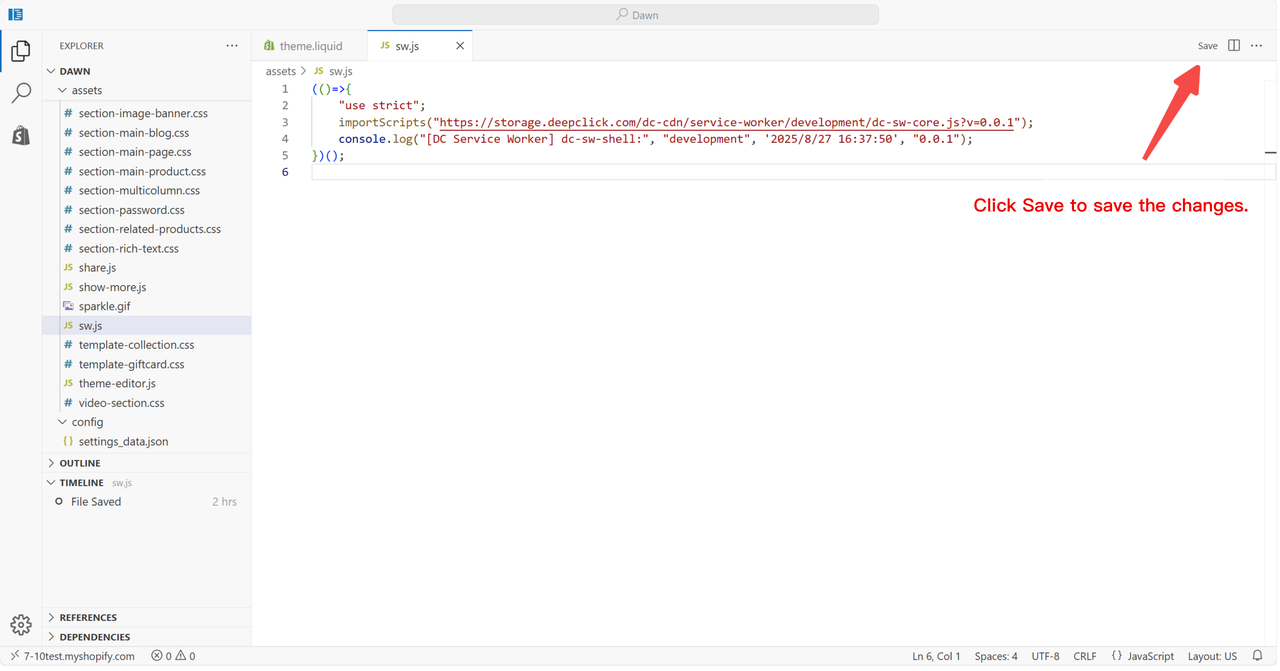
How to Upload SW File in Shopify
This article explains how to upload a Service Worker (SW) file in your Shopify store.
Step 1: Download the SW file

Step 2: Open the SW file with a text editor and copy the content

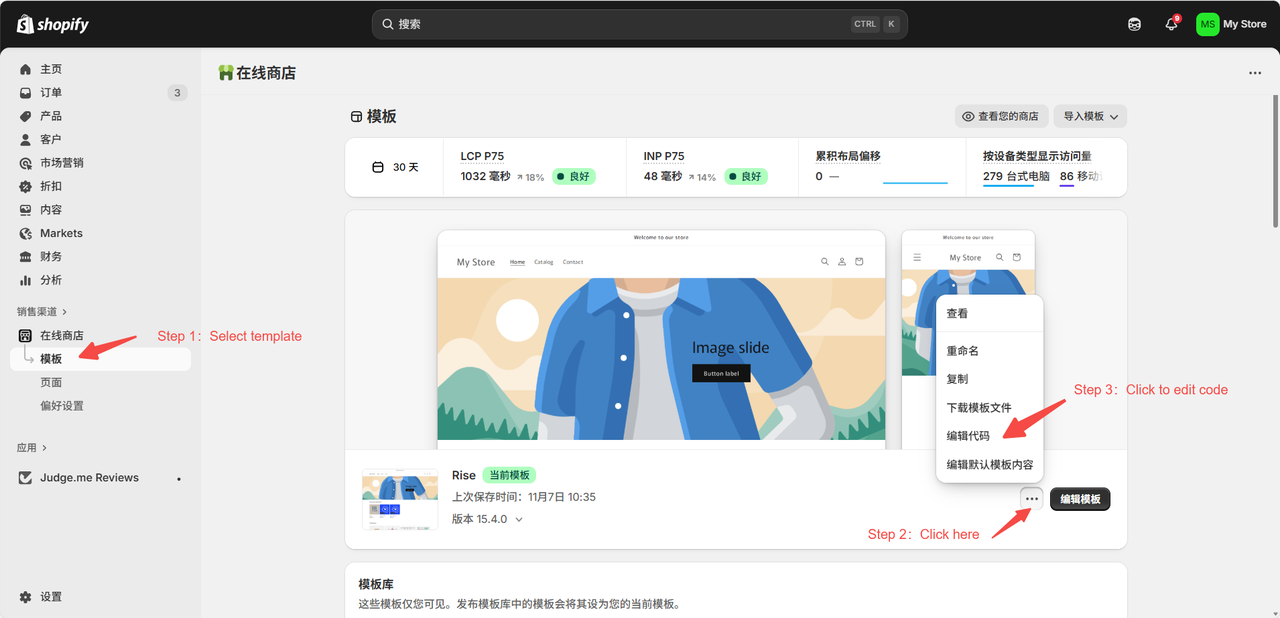
Step 3: Go to Shopify and edit code
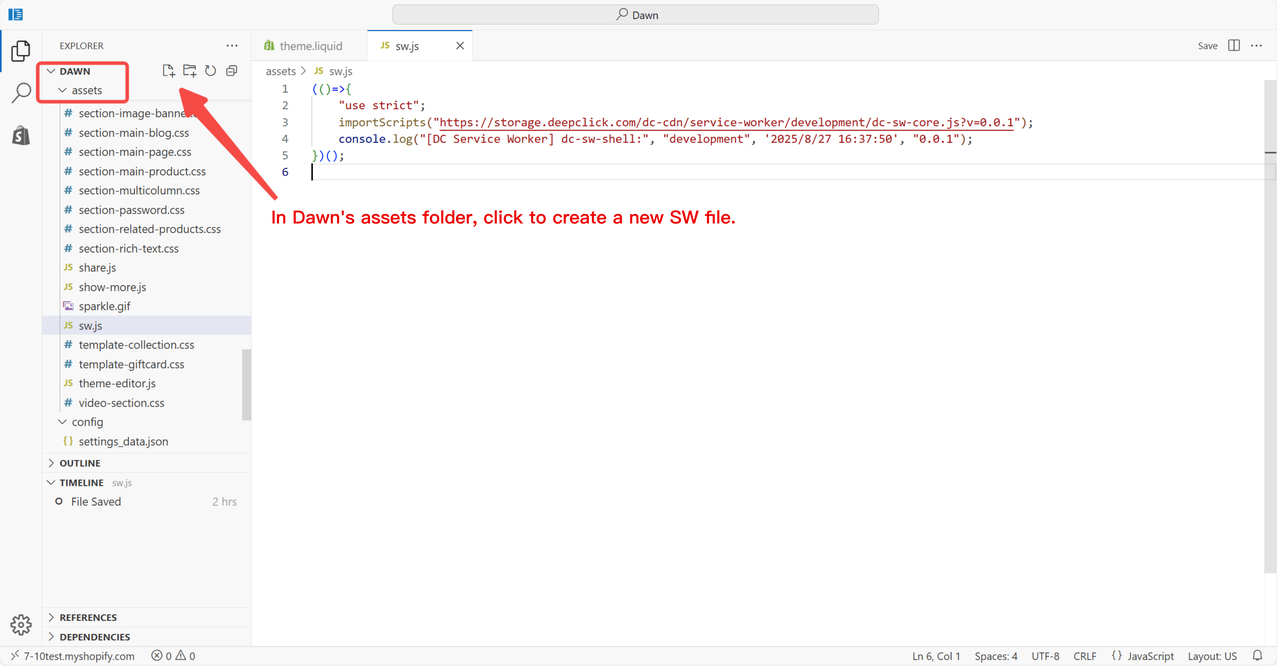
Step 4: Create a new SW.js file
Step 5: Complete the configuration