How to Install DeepClick on Your Shopify Store
This article explains how to install DeepClick tracking code on your Shopify store.
How to install DeepClick on your Shopify store
How to install DeepClick on your Shopify store
DeepClick is not supported in the Shopify Sandbox environment
If you install DeepClick tracking code in the Shopify Sandbox environment, it will not be able to collect data, and the Ask tool will not display.
This will also prevent tracking on the checkout page due to Shopify's security measures.
For more information, please visit the Shopify Help Center article: Sandbox Pixel Limitations.
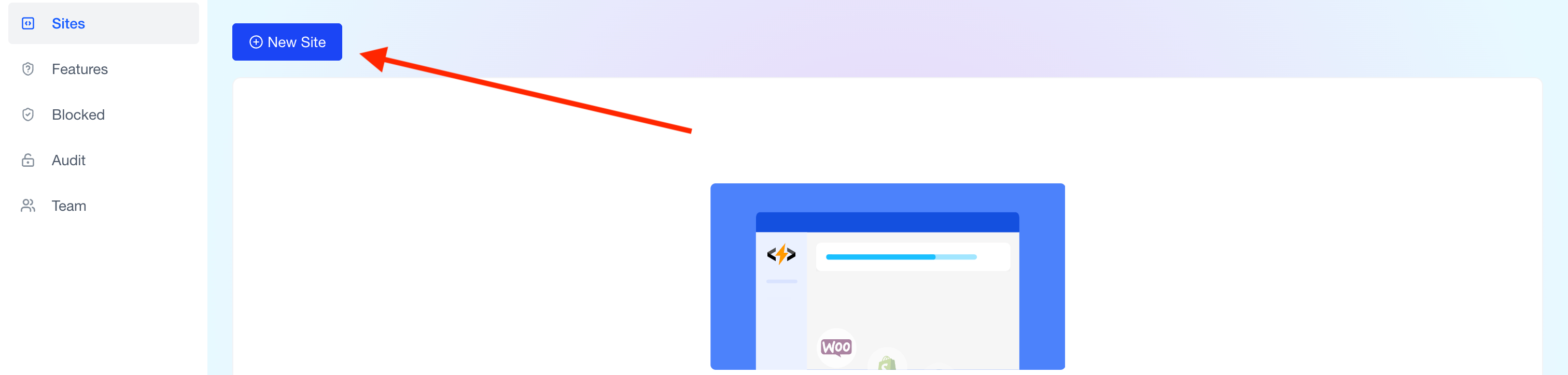
Step 1: Go to your DeepClick site page and click Access Site
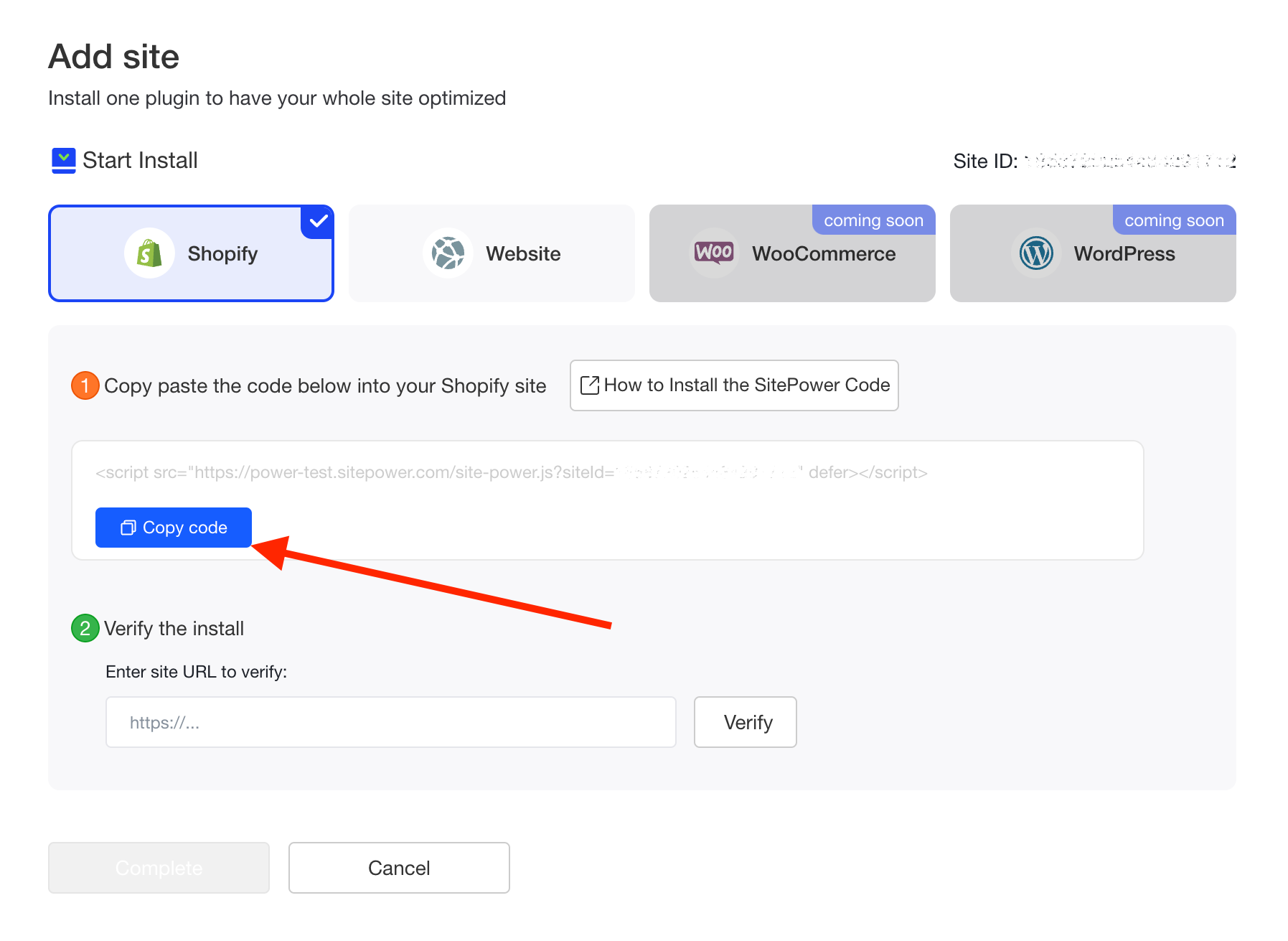
Step 2: Click Copy Code to copy the tracking code
Step 3: Open the Shopify admin panel
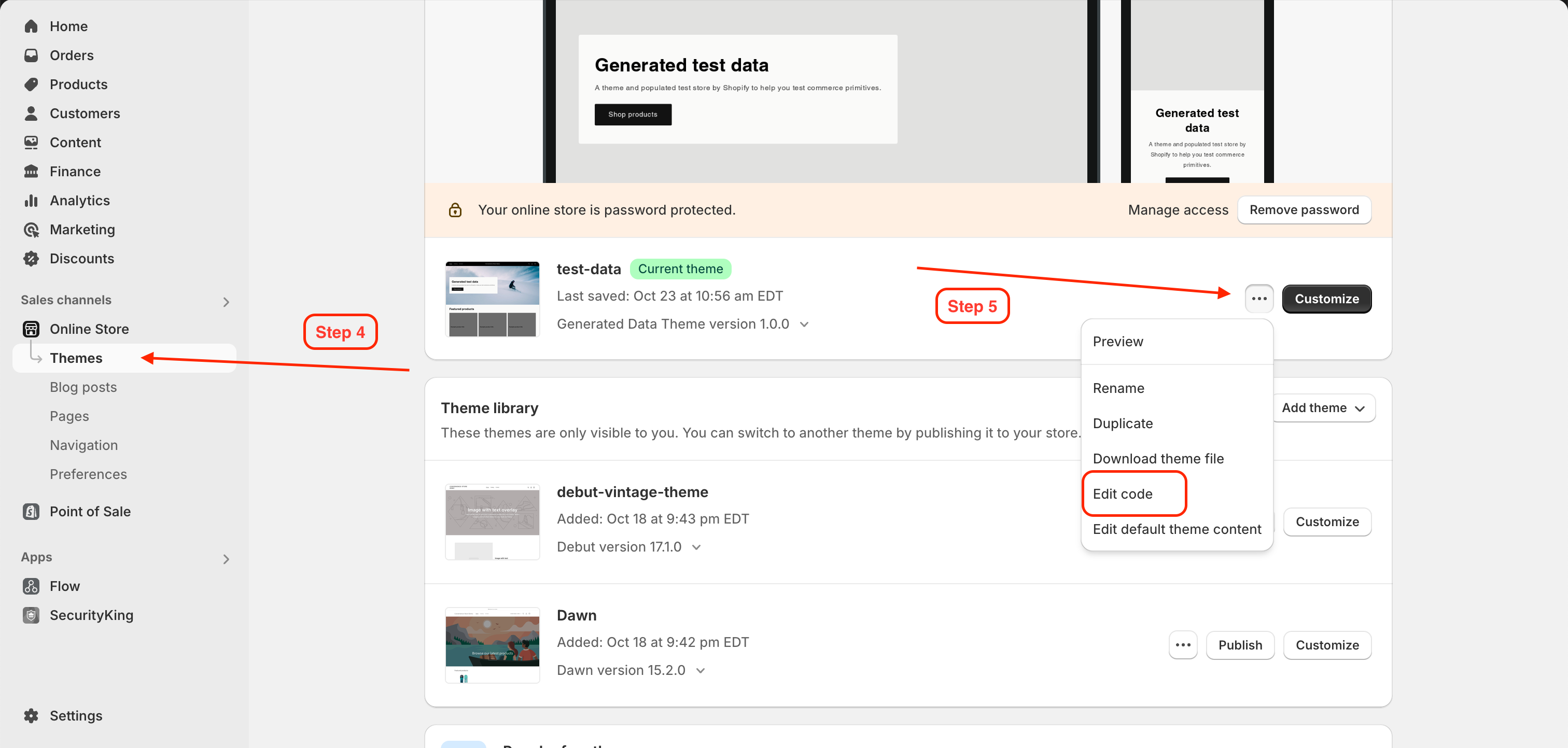
Step 4: Click Online Store, then click Themes
Step 5: Click the ... button on the current theme, then select Edit Code
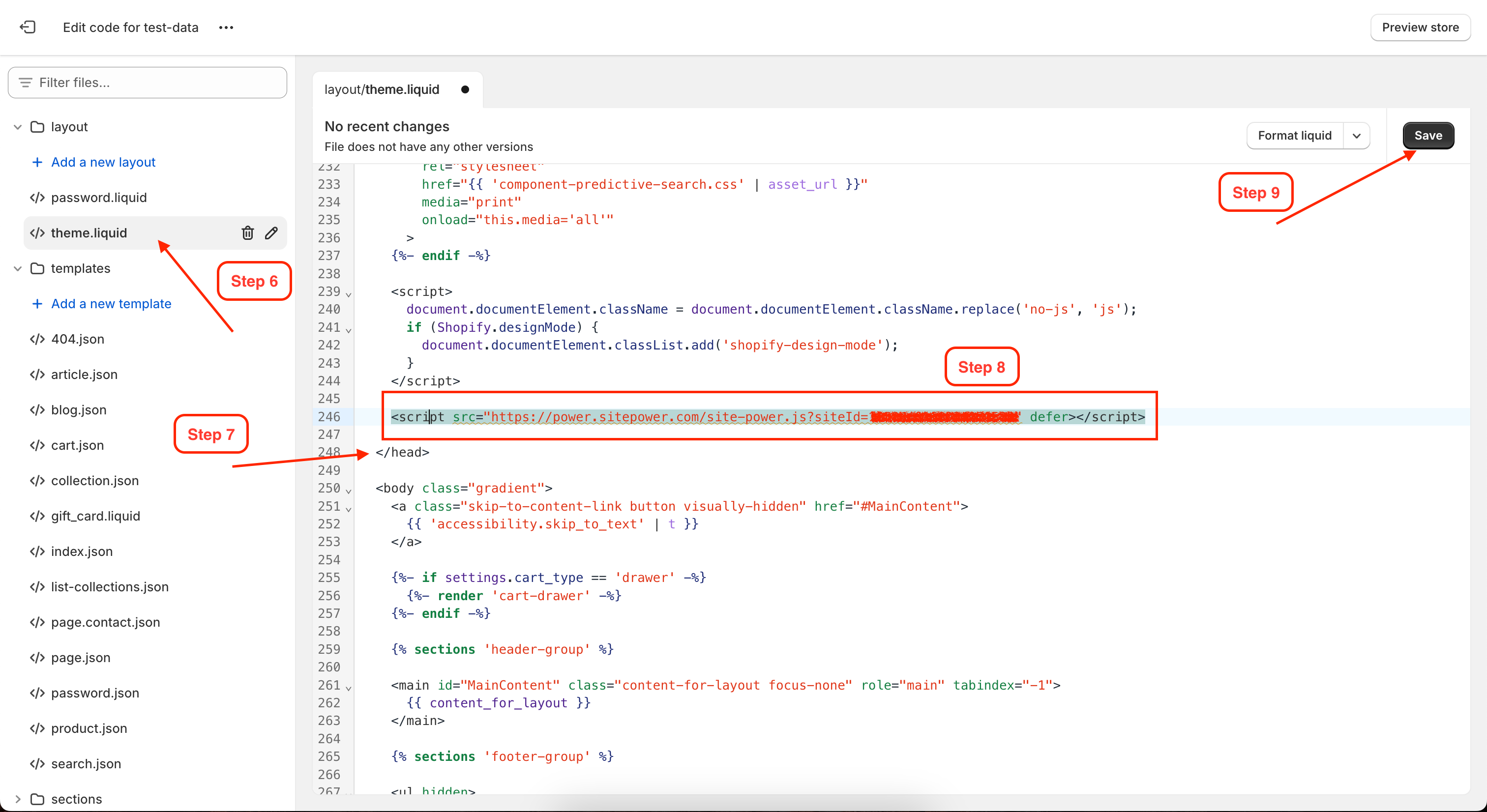
Step 6: Click on theme.liquid in the layout folder
Step 7: Scroll down the theme.liquid page until you find the </head> tag
Some themes use variations of the <head></head> tag, such as {/head}, [/header], or other similar variations, all of which work in the same way.
Step 8: Paste the tracking code before the </head> tag
Step 9: Click Save